

How to Use Each Mode
Brkcore has three generation modes. Which ones are available depends on your plan.
Random (Free, Pro, Pro+)
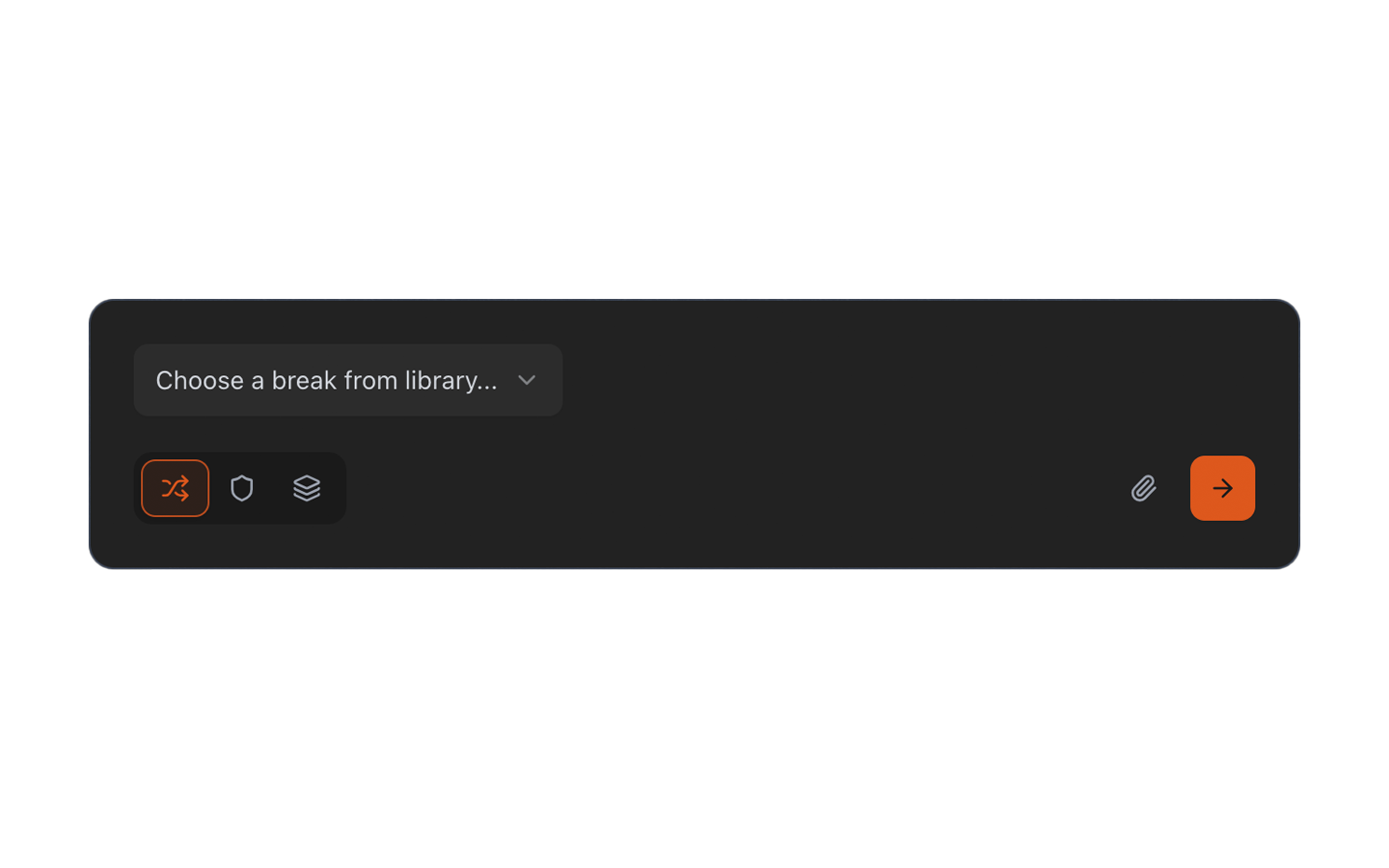
Brkcore lets you choose, or selects a break at random from your available library, and generates loops. All parameters are shuffled. Good for exploration and quick results.
Standard (Pro, Pro+)
You choose a specific break from the library or upload your own audio, then set your parameters and click Generate. Standard mode gives you more control over what goes into the generation.
By default complexity is Low, output count is 4 loops, and BPM is 170. Source selection must be filled to generate.
Tip: Leverage Random mode shuffling with Standard mode consistency
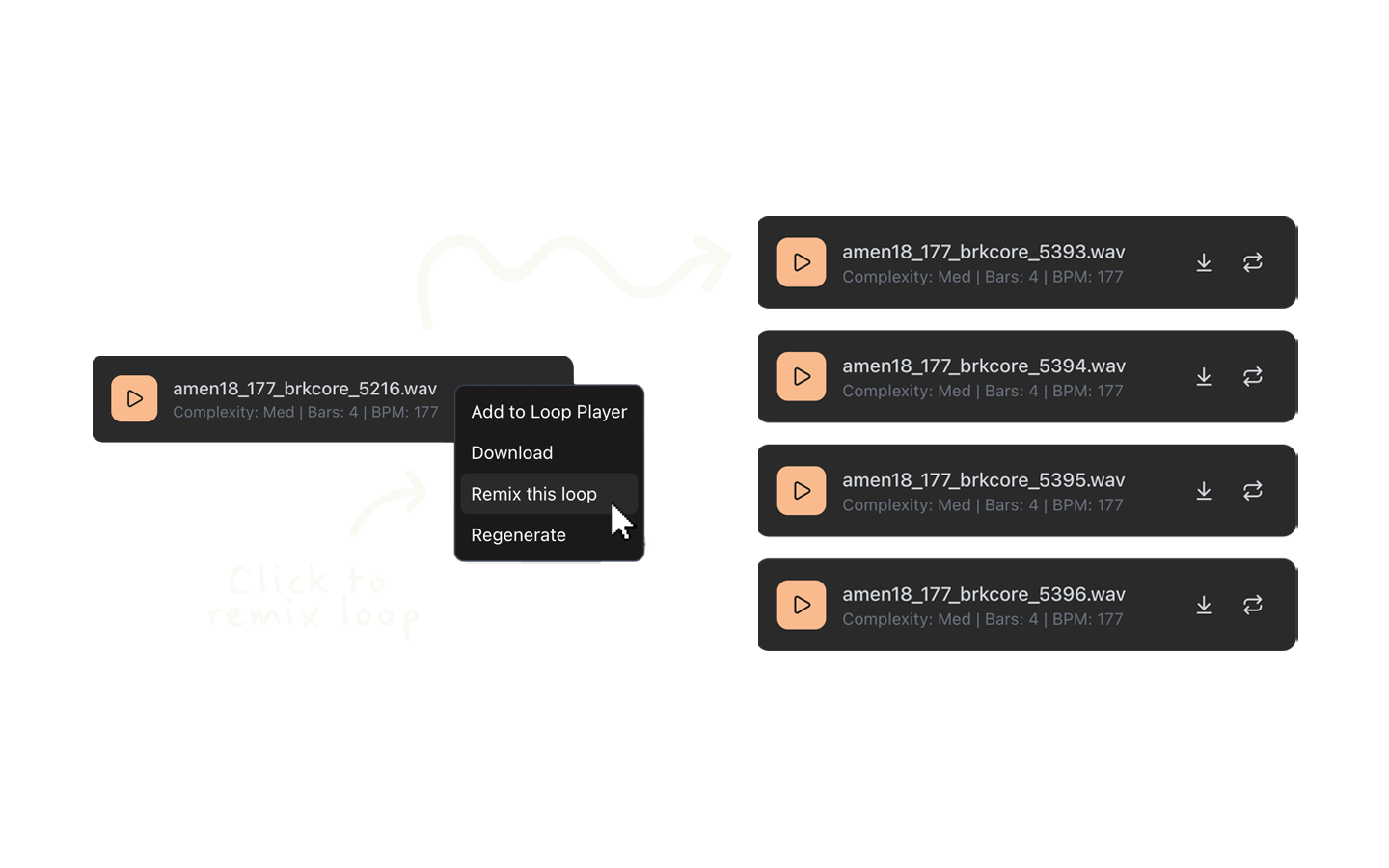
Right-click any Random mode loop, then click Remix this loop to generate using every setting from your selection.
This gives you the same vibe as a Random loop, but different patterns.
Same as copying a loop's settings into the form to replicate — but in one click.
Good for filling out a song.
Select Multiple (Pro+)
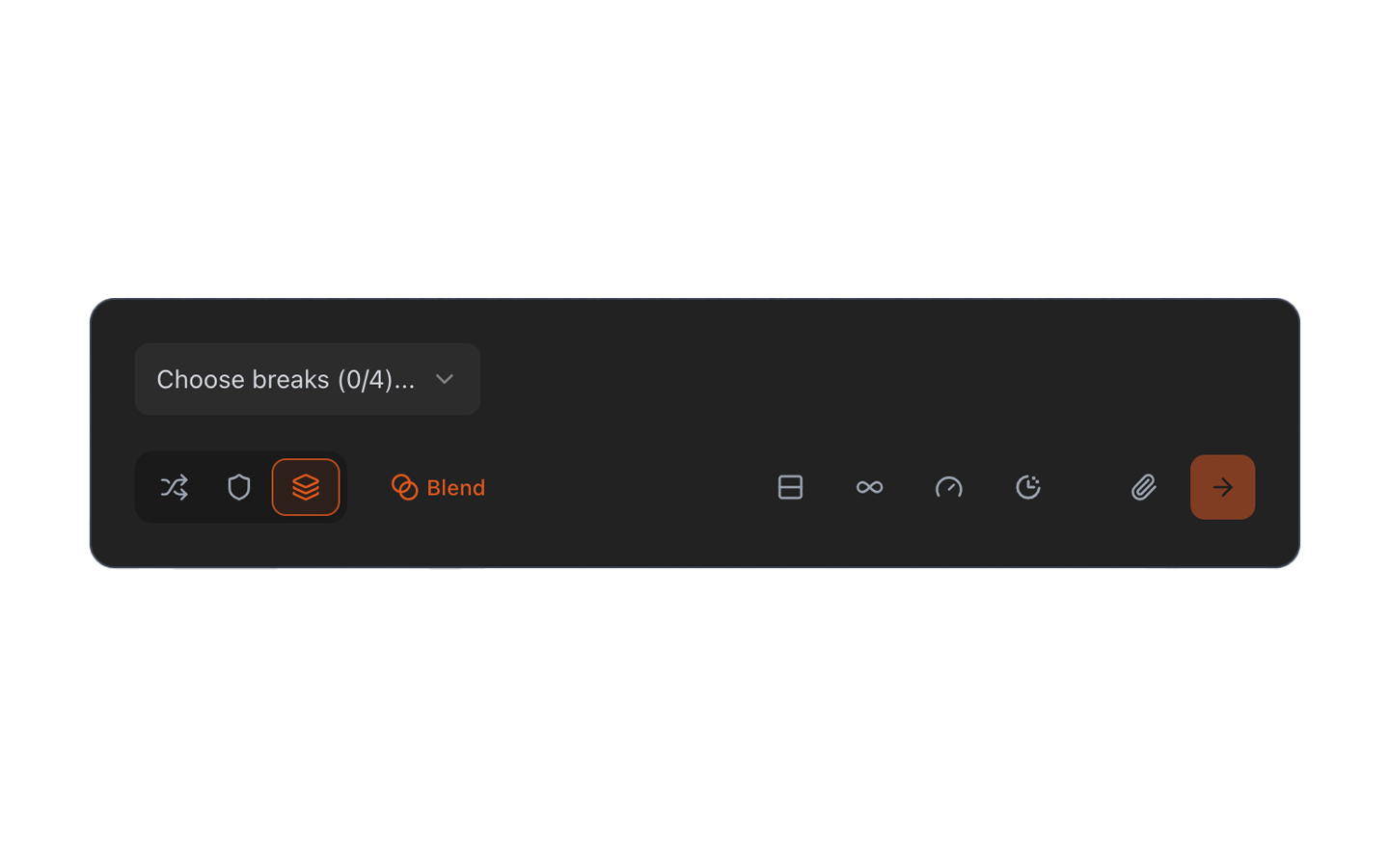
Combine multiple breaks — either from the library or uploads — into a single generation. Useful for layered, more complex outputs. Pro+ users can choose Blend (mixed input) or Sequential (round-robin) mode within Select Multiple. Source selection must be filled to generate.
Regenerate with different inputs — either BPM and/or sources — by clicking the repeat icon on any loop, and clicking Change Inputs. The form will then be populated for update. Source selection must be filled to regenerate.
Tip: Blend and Sequential mode regenerations
Blend or Sequential mode regenerations allow for swapping multiple sources.
If a Sequential mode loop is selected, Pro+ users can regenerate the same pattern across multiple sources — either from the library or uploads.
Source selection must be the same count as the original to regenerate.
Free tier
Note: Free users are limited to Random mode. Standard and Select Multiple are shown in the UI but will prompt you to upgrade.